
Cloud Migration Services for Businesses Worldwide
Moving your servers, applications, and data to the cloud is a one-time project with permanent consequences — get it right, and you gain speed, resilience, and room to grow; get it wrong, and you inherit someone else’s downtime, data-loss risk, and cost overruns. Niyamu’s cloud migration services team plans and executes the full move for businesses anywhere in the world, entirely remotely, across AWS, Azure, and Google Cloud.
Whether you’re retiring an aging on-premise server room, running a dedicated data center migration off a lease you don’t want to renew, or consolidating infrastructure scattered across multiple providers, the approach is the same: assess first, migrate deliberately, validate everything, and stay on to support what we built. This isn’t a generic cloud transformation checklist applied to every client the same way — your migration strategy gets built around your actual environment, not a template.

What’s on this page
- What’s Included in Our Cloud Migration Services
- Why Migrate — and Why Outsource It
- Who We Serve
- How Our Migration Process Works
- What Clients Say
- Pricing
- Frequently Asked Questions
What’s Included in Our Cloud Migration Services
A migration is only as good as the plan behind it. Every engagement covers the full lifecycle, not just the data transfer itself:
Cloud Readiness Assessment & Migration Planning
Before anything moves, we map your current environment — servers, applications, dependencies, data volumes, compliance requirements — and identify what can move as-is, what needs re-platforming first, and what should be retired outright rather than dragged into the new environment. This becomes your cloud migration strategy: a written sequencing roadmap specific to your environment, not a guess and not a generic template. Businesses that have tried cloud migration consulting elsewhere and stalled out often skipped this step, or rushed it — it’s the single phase most worth not shortcutting, and the one place a rushed timeline usually comes back to bite later in the project.
Data & Application Migration
The core of the project: moving your actual workloads, databases, and files into the target cloud environment, in the sequence the assessment identified as lowest-risk. Where a straight lift-and-shift makes sense, we do that; where an application would genuinely benefit from re-architecting for the cloud rather than just relocating, we’ll tell you honestly which one your situation calls for, rather than defaulting to whichever is easier for us.
Server & Data Center Migration
For businesses moving off physical servers or exiting a leased data center entirely, we handle the infrastructure side directly — server migration, networking, storage, security groups, and access controls rebuilt correctly in the new environment, not just copied over and hoped for. A full data center migration involves more moving parts than a single application move, and gets planned and sequenced accordingly.
Testing, Cutover & Validation
Nothing goes live until it’s been tested in a sandboxed environment first — the same failover-testing discipline we apply to disaster recovery planning gets applied here, before your team ever touches the new environment for real. Cutover happens on a schedule you approve, not a surprise.
Post-Migration Support & Optimization
The project doesn’t end at cutover. We stay on through the stabilization period to catch anything the migration surfaces, and tune the new environment for cost and performance now that it’s live — a freshly migrated environment is rarely the fully optimized one, whatever cloud migration tools were used to get it there.
Platforms: AWS, Azure & Google Cloud
We provide AWS cloud migration services, Azure migration, and Google Cloud migration — all three, without steering you toward one because it’s easier for us. AWS migration tends to suit businesses already using other Amazon infrastructure or wanting the broadest service ecosystem; Azure migration is often the natural fit if you’re already deep in Microsoft 365 and Active Directory; Google Cloud tends to suit data- and analytics-heavy workloads. The right platform depends on your existing licensing, your team’s familiarity, your compliance footprint, and your budget — that’s a conversation we have with you, not a default we apply before we’ve even seen your environment.
If your business already relies on niyamu for day-to-day support, our managed IT services team picks up exactly where the migration project ends — same people, same account, no re-onboarding a second vendor for ongoing management once the move is done.
Why Migrate — and Why Outsource It
The case for moving to the cloud is usually financial before it’s anything else: aging hardware nearing end-of-life, a data center lease renewal that costs more every year, or a fixed capacity ceiling you’re already bumping against. That’s the core of the on-premise vs. cloud comparison in practical terms — on-premise infrastructure means paying for peak capacity every single day, whether you’re using it or not, plus the staff time and hardware refresh cycles that come with owning physical servers. Cloud infrastructure means paying for what you actually use, and scaling instantly when you need more, without a six-month hardware procurement cycle standing in the way.
The benefits of cloud migration compound past the cost line, too: faster disaster recovery than a single physical location can offer, easier support for a distributed or remote workforce, and infrastructure that scales with a busy season instead of being sized for it year-round. None of that shows up on a spreadsheet the way a hosting-cost comparison does, but for a lot of businesses it ends up mattering more.
The risk isn’t the decision to migrate — it’s the execution. The most common cloud migration challenges we’re brought in to solve after a business tries this in-house, or with a provider who’s done it once or twice, aren’t exotic: underestimated data volumes, applications that quietly depended on something in the old environment nobody documented, and a cutover window that runs long because nobody load-tested it first. None of that is inevitable. It’s what a dedicated assessment phase exists to catch before it becomes a 2am incident.
Outsourcing the migration itself — rather than assigning it to an internal team alongside their regular workload, or picking whichever of the many cloud migration companies out there had the fastest quote — means the people running your cutover have done this before, aren’t learning on your production environment, and aren’t also trying to keep the help desk running at the same time. What to actually look for when comparing cloud migration companies: a real assessment phase before any quote, a named process for testing before cutover (not just “we’ll be careful”), and a straight answer about what happens if something needs to roll back — if a provider can’t answer that last one clearly, that’s worth noticing before you sign anything.
Who We Serve
We work with businesses across virtually every industry — retail, professional services, healthcare, logistics, manufacturing, financial services, and more — anywhere in the world, entirely remotely. Company size varies as much as industry: some clients are moving a handful of servers and a shared file system off an aging closet-sized server room; others are running a full data center migration, consolidating multiple offices’ infrastructure into one unified cloud environment. Some come to us mid-project after a stalled in-house attempt; others are migrating for the first time and want it done right from the start.
The trigger is usually one of a few things: hardware or a data center lease coming up for renewal, a growth spurt the current infrastructure can’t keep up with, a new compliance requirement the old environment can’t meet, or simply the accumulated cost of maintaining physical servers finally outweighing the effort of moving off them. Whichever applies to you, the assessment phase scopes the project to what you actually have, not a template sized for someone else’s business.

How Our Migration Process Works
Every migration follows the same sequence, because skipping a phase is exactly how the common challenges above happen:
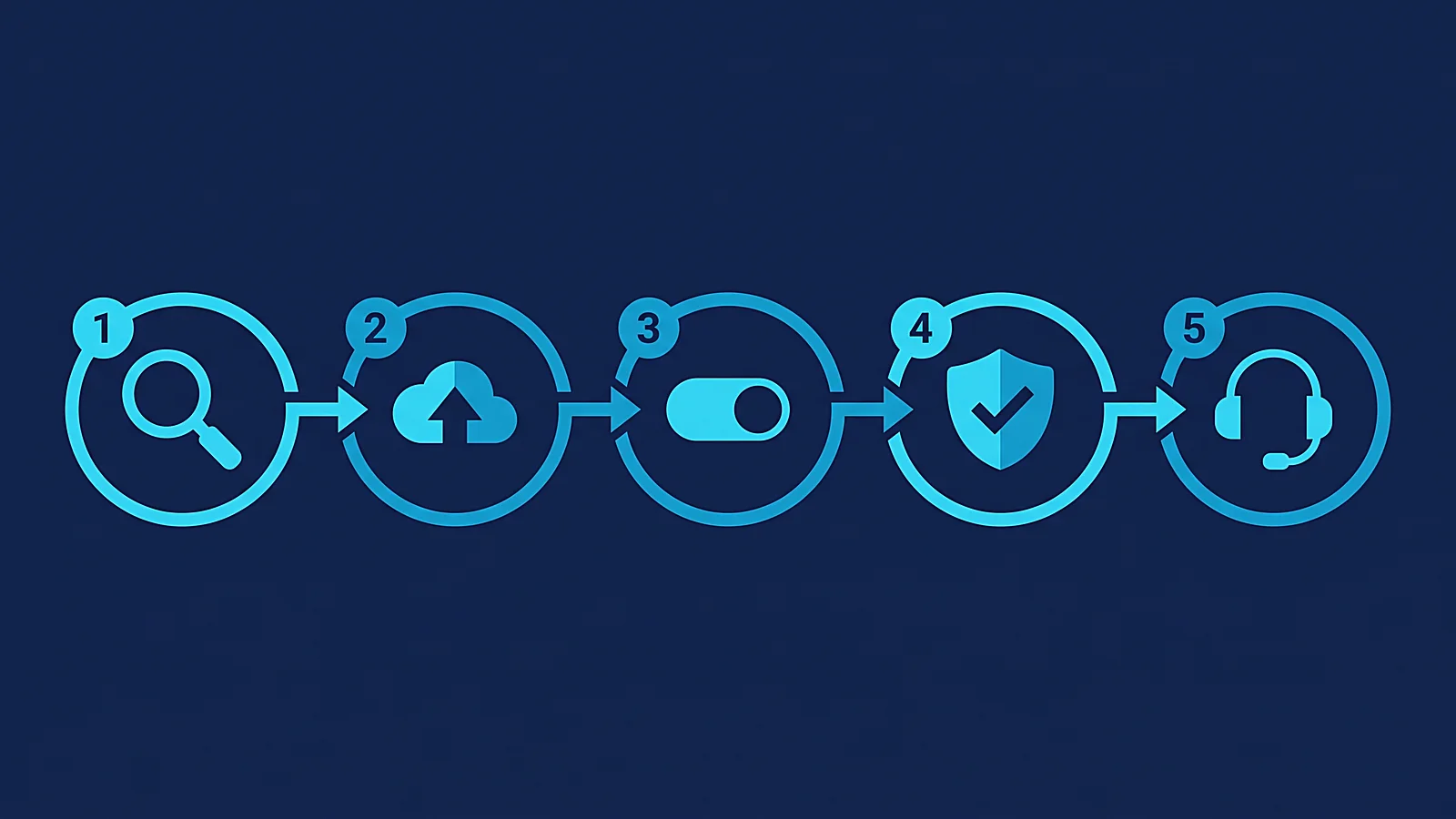
- Assessment & Planning — full environment audit, dependency mapping, migration strategy and sequencing plan built around what we actually find, not assumed in advance.
- Migrate — data, applications, and infrastructure moved in the planned sequence, with checkpoints, not a single all-at-once cutover.
- Cutover — the switch to the new environment, scheduled around your business hours, not ours.
- Validate — every migrated system tested against the original before we call it done, in a sandboxed environment first per the testing discipline described above.
- Support — active stabilization support post-cutover, then a smooth handoff to ongoing management if you want it.
Timeline varies with environment size and complexity — a straightforward move is faster, a large or heavily interdependent environment takes longer — but most cloud migration projects of this scope typically complete within 6–8 weeks from kickoff to stable cutover. We’ll give you a specific estimate once the assessment phase scopes your actual environment, not a generic number applied to every business regardless of size.
What Clients Say

“They seamlessly migrated our legacy on-premise servers to the cloud over a single weekend. Our staff logged in on Monday and everything just worked.” — Director of IT, Retail Brand, London, UK
“Their cloud architects designed an Azure environment that cut our monthly hosting costs by 30% while improving performance.” — CTO, SaaS Company, Dublin, Ireland
“Their disaster recovery in the cloud means we no longer have to swap physical backup tapes. It’s all automated and instantly recoverable.” — IT Administrator, Municipal Council, New South Wales, Australia
“The flexibility of the virtual desktops they set up means we can hire talent from anywhere in the world securely.” — HR Director, Creative Agency, Amsterdam, Netherlands
Get Your Free Migration Consultation
Pricing
Cloud migration pricing depends entirely on what’s actually moving — the number of servers and applications, data volume, how much re-architecting versus straight lift-and-shift is involved, and your compliance requirements. Because of that, we don’t publish a fixed price list or generic cloud migration solutions packages; we scope every migration individually during the assessment phase and provide a custom quote before any work begins, so you know the full cost upfront rather than discovering it partway through the project.
Frequently Asked Questions
What is cloud migration?
Cloud migration is the process of moving servers, applications, and data from on-premise infrastructure (or one cloud environment to another) into a cloud platform like AWS, Azure, or Google Cloud. It’s a defined project with a start and end point, distinct from the ongoing day-to-day management of an IT environment.
How long does a cloud migration take?
Most projects of typical small-to-mid-size business scope complete within 6–8 weeks from kickoff to stable cutover, though simpler moves can be faster and larger or more complex environments — a full data center migration especially — take longer. Your assessment phase gives you a specific timeline for your actual environment rather than a generic estimate.
Which cloud platforms do you support?
We provide AWS migration services, Azure migration, and Google Cloud migration. Which one fits best depends on your existing licensing, compliance needs, and team familiarity — we’ll help you decide rather than defaulting to one because it’s what we prefer to sell.
Will we experience downtime during the migration?
Every migration is planned to minimize disruption, with cutover scheduled around your business hours and every system validated in a sandboxed environment before it goes live. The goal on every project is zero unplanned downtime — planned, brief cutover windows are sometimes unavoidable depending on the systems involved, and we’ll tell you upfront if yours needs one.
What’s the difference between cloud migration and managed IT services?
Cloud migration is a one-time project: moving your infrastructure to the cloud. Managed IT services is the ongoing relationship after that — day-to-day monitoring, support, and management of your environment, cloud or otherwise. Many clients start with a migration project and move into an ongoing managed services relationship afterward; others just need the move itself. Both are available independently.
How much does cloud migration cost?
It depends on the size and complexity of what’s moving, so we don’t publish fixed pricing. You’ll get a custom quote after the assessment phase scopes your specific environment — no cost commitment before you know exactly what you’re paying for.
Should we lift-and-shift or re-architect our applications?
It depends on the application, which is exactly why this gets decided during the assessment rather than assumed upfront. A straight lift-and-shift is faster and lower-risk for applications that work fine as-is — there’s no reason to re-engineer something that isn’t broken. Re-architecting makes sense when an application would genuinely run better, cheaper, or more reliably built for the cloud rather than just relocated to it. Most migrations end up using both approaches across different parts of the same environment, not one or the other for everything.
What should I look for in a cloud migration company?
A real assessment phase before you’re given a quote, not after. A specific answer for how testing and validation happen before cutover. And a straight answer about rollback if something doesn’t go as planned — a provider that hasn’t thought about that question yet hasn’t run enough real migrations.
Ready to Move to the Cloud?
A cloud migration only goes as smoothly as the plan behind it. Let’s build yours.